Menus
A menu in another language
Photograph it and choose your own language: it’s translated in natural sentences, then read aloud.
Travelling, or living abroad with a letter you can’t read? Photograph it and choose your language: Outloud Reader translates the text in natural sentences, then reads it aloud while each phrase is highlighted.

Free to download · iOS & Android · No sign-up
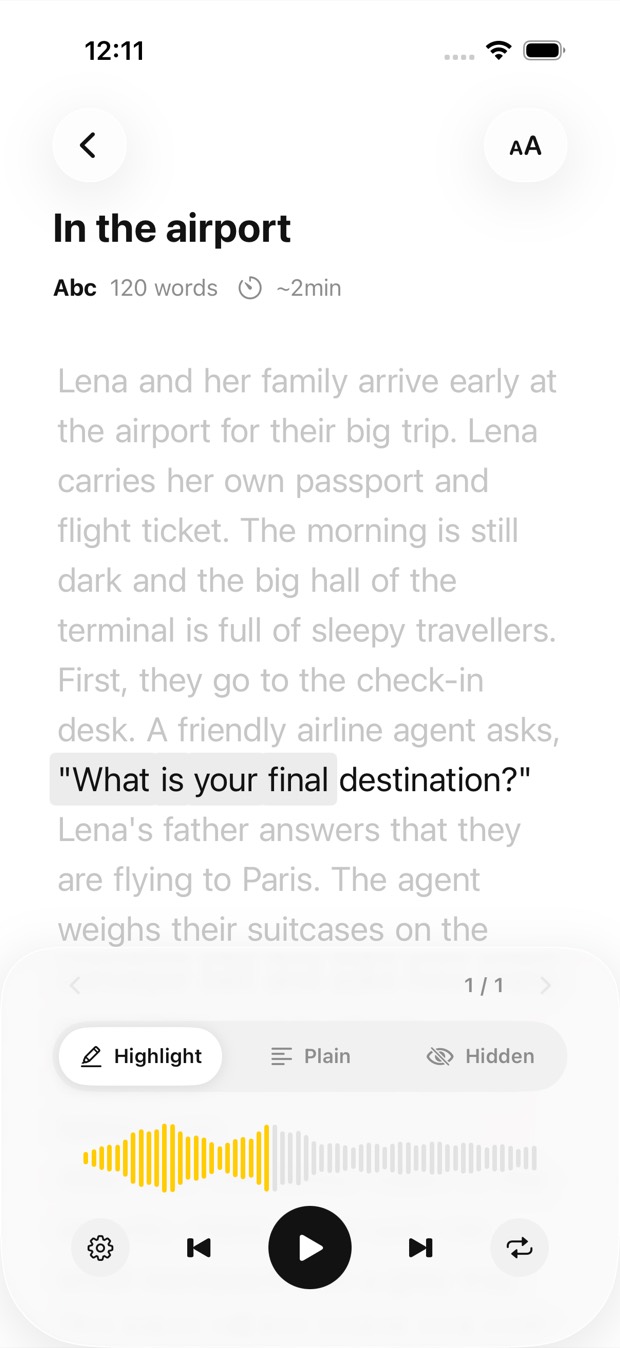
In Outloud Reader, start a new book, photograph the menu, sign, letter or form, and choose your own language as the one to hear. The text is recognised, translated in natural sentences and read aloud, each phrase highlighted as it’s spoken. It isn’t live camera translation: you take a photo, and a book is made of it.
Take the photo, choose your language, and listen.
Start a new book. Choose Camera to photograph the menu, sign or letter, or Gallery to pick a photo you already took.
Choose the language you want to hear, any of the 14 the app reads in. If it isn’t the page’s own, the text is translated first.
The text is recognised and translated in natural sentences, and a book is made of it. It’s a photo, not a live camera view.
Press play, and each phrase is highlighted as it’s read aloud in the language you chose.
What to expect before you rely on it abroad:
The text around you in another language, read to you in yours.
Photograph it and choose your own language: it’s translated in natural sentences, then read aloud.
A notice at the station or on the door: photograph it and hear what it says in your language.
A letter from the landlord, the bank or the town hall, translated and read aloud, each phrase lit up.
Photograph the form and hear, in your language, what each part asks for.
Outloud Reader for iOS and Android. Your first 5 pages are free.
Free to download · iOS & Android · No sign-up
Something else? Write to support@outloudreader.app and a person will answer.
No. You take a photo, or pick one, and choose your language; the text is then translated and a book is made of it to listen to.
The one you choose when you add the page, any of the 14 the app reads in. Choose the page’s own language instead and it’s read as printed, without translation.
To create a book, yes: the text is recognised, translated and voiced online. The audio is then kept on your device.
To recognise, translate and read your pages, the app sends the photos and text you add to our server, where AI and speech services process them. Photos are deleted after processing, and your data is never sold or used for ads. The details are in the privacy policy.