Commute
On the train or the bus
The chapter you didn’t get to: listen to it on the way, with the phone in your pocket.
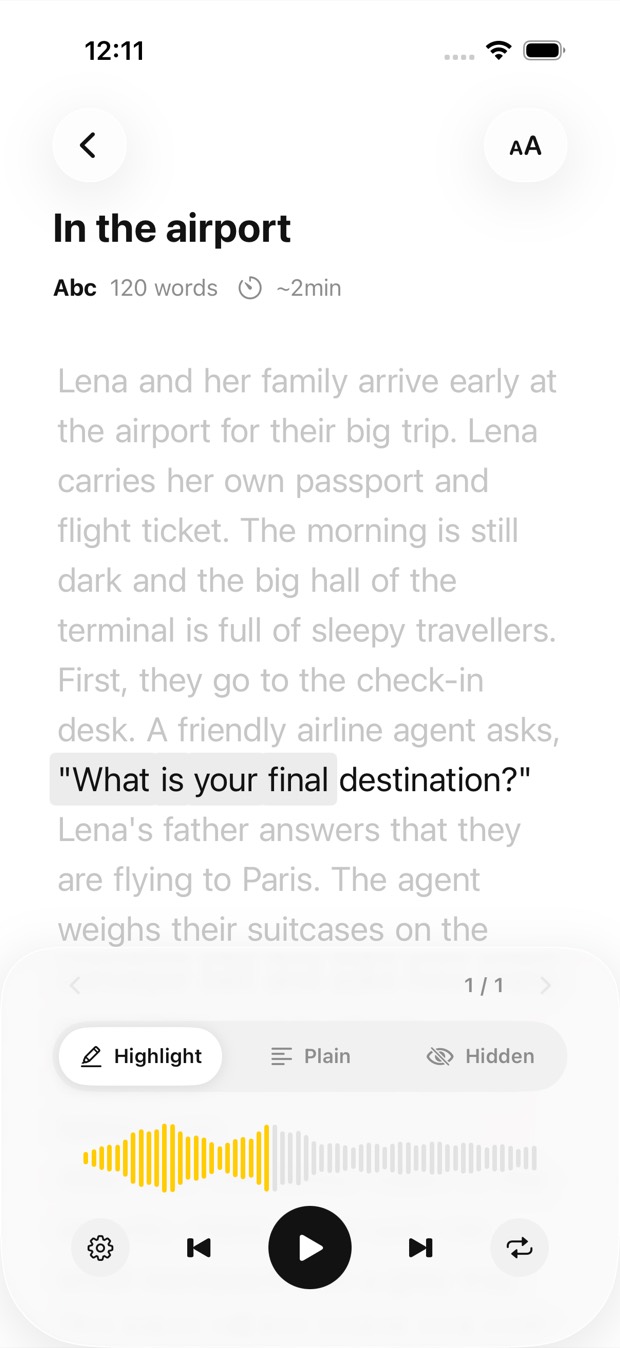
Photograph the pages, open a PDF or paste an article, and Outloud Reader turns it into audio in a natural voice. Listen on the train, on a walk, at the stove or at the gym.

Free to download · iOS & Android · No sign-up
Add the text to Outloud Reader once, as photos, a PDF or pasted text, and it becomes audio in a natural voice. The audio stays in your library on your phone, so it plays offline and with the screen off, and playing it again is free. Listen at any speed from 0.5× to 1.25×.
Make the book before you leave; listen wherever you are.
Photograph pages one after another, pick photos from your gallery, choose pages from a PDF, or paste an article.
The text is recognised and voiced online. The audio is then kept on your device, in your library.
Press play and lock the screen: the book plays with the screen off, and without a connection.
Every book stays in your library with its audio. Playing it again uses no pages, as often as you like.
The articles, chapters and notes you meant to read, ready for the time your eyes are busy.
The places where reading is hard and listening is easy.
The chapter you didn’t get to: listen to it on the way, with the phone in your pocket.
Paste the long read you saved and hear it while you walk.
Your hands are busy and your eyes on the pan: the reading for class goes on by ear.
Photograph the report before you go and listen between sets, at the speed you like.
Outloud Reader for iOS and Android. Your first 5 pages are free.
Free to download · iOS & Android · No sign-up
Something else? Write to support@outloudreader.app and a person will answer.
Yes. The audio stays in your library on your phone, so a book plays with the screen off, and offline.
To create a book, yes: the text is recognised, translated and voiced online. The audio is then kept on your device.
No. The audio stays in your library in the app, ready to play again as often as you like, at no cost. It isn’t exported as a file.
No. Playing a book again is free, as often as you like. Pages are used only when a book is made; see pricing.