Chats
A long message
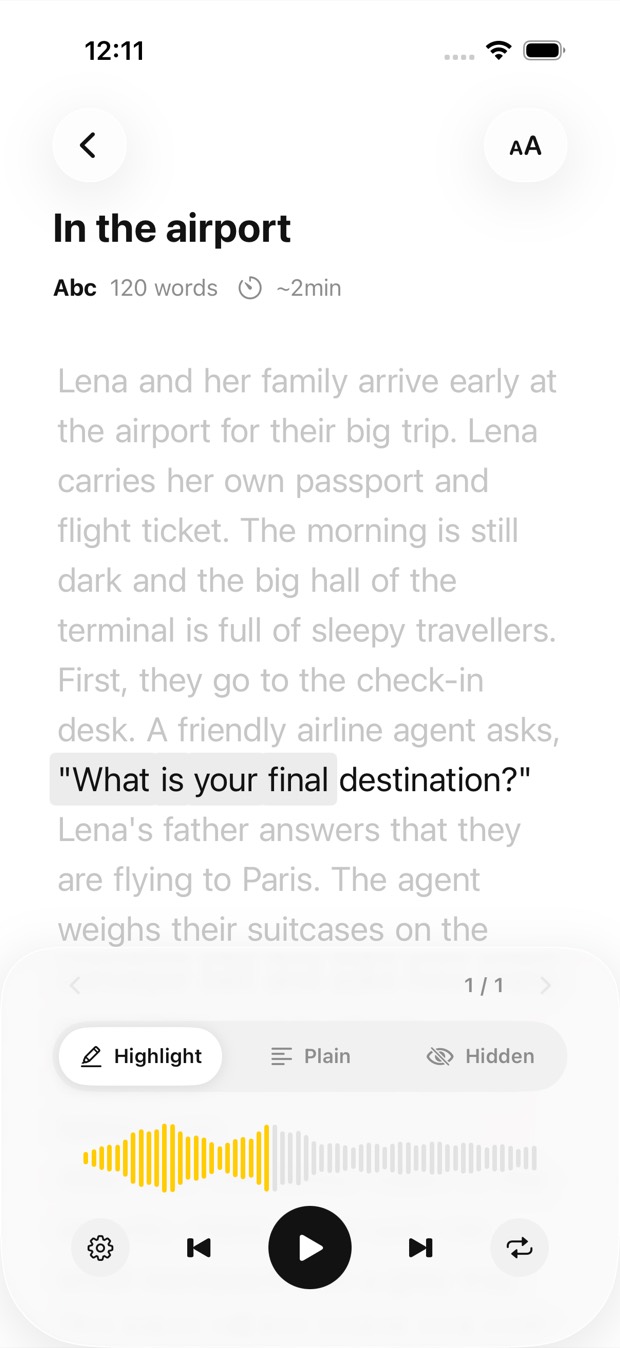
Screenshot the chat and hear it read aloud, each phrase highlighted as it’s spoken.
Pick a screenshot or a picture of text from your gallery: a chat, a social post, a slide, an article. Outloud Reader recognises the text in the image and reads it aloud in a natural voice, each phrase highlighted as it’s spoken.


Free to download · iOS & Android · No sign-up
In Outloud Reader, start a new book, choose Gallery and pick the screenshots or pictures of text you want to hear. The text in each image is recognised and read aloud in a natural voice, each phrase highlighted as it’s spoken. Choose another language first and it’s translated before it’s read.
From the picture on your phone to the voice in your ears, in four steps.
Start a new book in the app and choose Gallery. Pick one screenshot or several; each one becomes a page of the same book.
Use the picture as it is, or adjust the frame to leave out the parts of the screen you don’t want read. Up to 50 pages go into one book.
Choose the language of the text to hear it as it is, or another one to have it translated first. Then choose the voice.
The text is recognised and read aloud in a natural voice. Press play, and the phrase being spoken is highlighted as you listen.
A clear picture reads best. A few things help most:
Whatever the text is on your screen, save it as a picture and listen.
Screenshot the chat and hear it read aloud, each phrase highlighted as it’s spoken.
Save the post as a picture, pick it in Gallery, and listen to it instead of reading it.
Took pictures of the slides, or screenshots of them? Pick them, and they become pages of one book to revise by ear.
The article you saved as a picture: hear it read aloud, translated first if it’s in another language.
Outloud Reader for iOS and Android. Your first 5 pages are free.
Free to download · iOS & Android · No sign-up
Something else? Write to support@outloudreader.app and a person will answer.
Yes. Choose Gallery and pick the screenshot; the text in it is recognised and read aloud with each phrase highlighted.
Yes. Pick them in Gallery and each one becomes a page of the same book, up to 50 pages.
Only if you want it to. Choose the page’s own language and it’s read as printed; choose another one and it’s translated first.
To recognise, translate and read your pages, the app sends the photos and text you add to our server, where AI and speech services process them. Photos are deleted after processing, and your data is never sold or used for ads. The details are in the privacy policy.