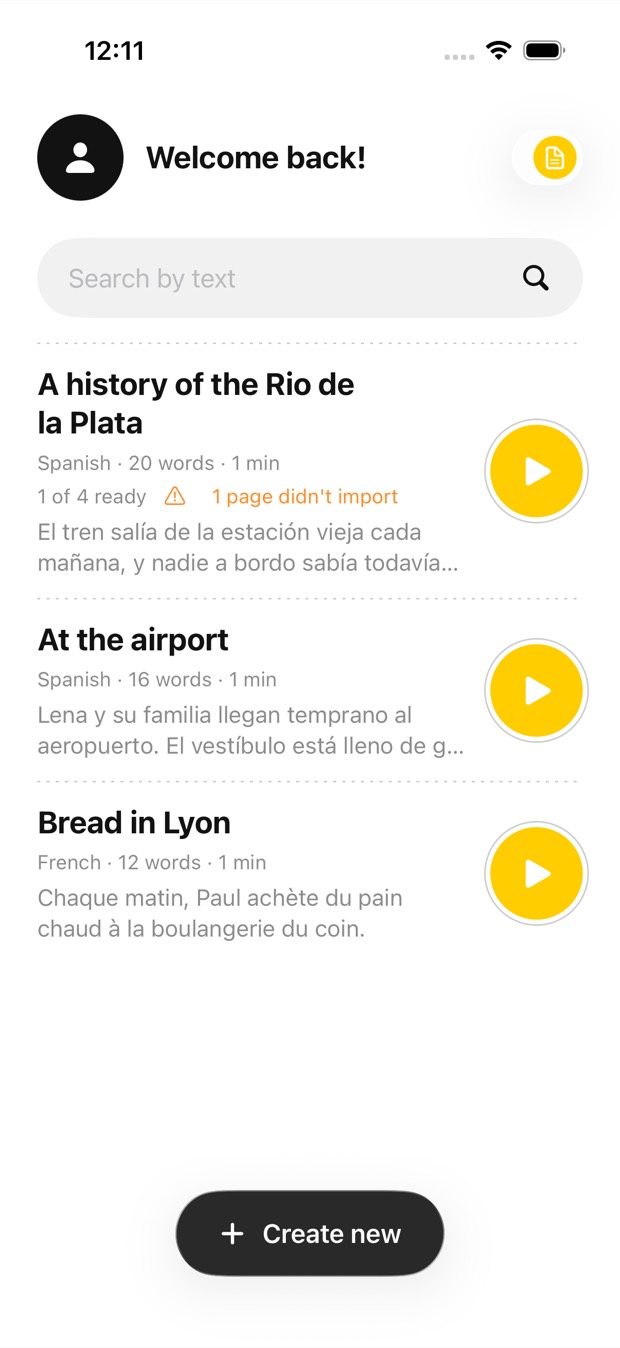
Just listen, or follow along
Glance at the page now and then: the phrase being spoken is highlighted and its sentence set in black, so you always find your place.
Photograph the pages of a paper book, open a PDF, or paste an article or a letter. Outloud Reader reads it aloud in a natural voice, so you can listen while you walk, commute or cook.

Free to download · iOS & Android · No sign-up
To turn a paper book into an audiobook, photograph its pages one after another in Outloud Reader; a PDF or a pasted article works too. It’s read aloud in a natural voice, in any of 14 languages, and up to 50 pages go into one book. The audio stays in your library, ready to play again as often as you like, at no cost.
There’s no store and no catalogue. It reads what you bring it: the book on your shelf, a PDF, an article you saved, a letter.
Glance at the page now and then: the phrase being spoken is highlighted and its sentence set in black, so you always find your place.
A woman’s or a man’s voice in every language except French, which has a woman’s.
Anywhere from 0.5× to 1.25×, so a long chapter goes at the pace you like.
When you do read along: light, sepia or dark, with contrast, text size and line spacing to suit you.
Whatever the text is on, there’s a way in, and every book stays in your library with its audio.
Three steps from the page in your hand to the voice in your ears.
Photograph its pages one after another, pick photos from your gallery, choose pages from a PDF, or paste an article.
The text is recognised from your photos and read by a natural voice. Pick a language other than the page’s and it’s translated first.
Press play and listen on a walk, on the train or at the stove. Look at the screen and the phrase being spoken is highlighted.
Outloud Reader for iOS and Android. Your first 5 pages are free.
Free to download · iOS & Android · No sign-up
Something else? Write to support@outloudreader.app and a person will answer.
Yes. Photograph its pages one after another and they become a book read aloud in a natural voice. Up to 50 pages go into one book, so a long book becomes several.
Yes. Open the PDF, choose the pages you want, and crop away headers, footers and page numbers, so only the text is read.
No. The audio stays in your library in the app, ready to play again as often as you like, at no cost. It isn’t exported as a file.
To make a book, yes: the text is recognised and voiced online. The audio is then kept on your device.