E-books
A book you have as a PDF
Choose the chapter you want and listen on a walk, on the train or at the stove.
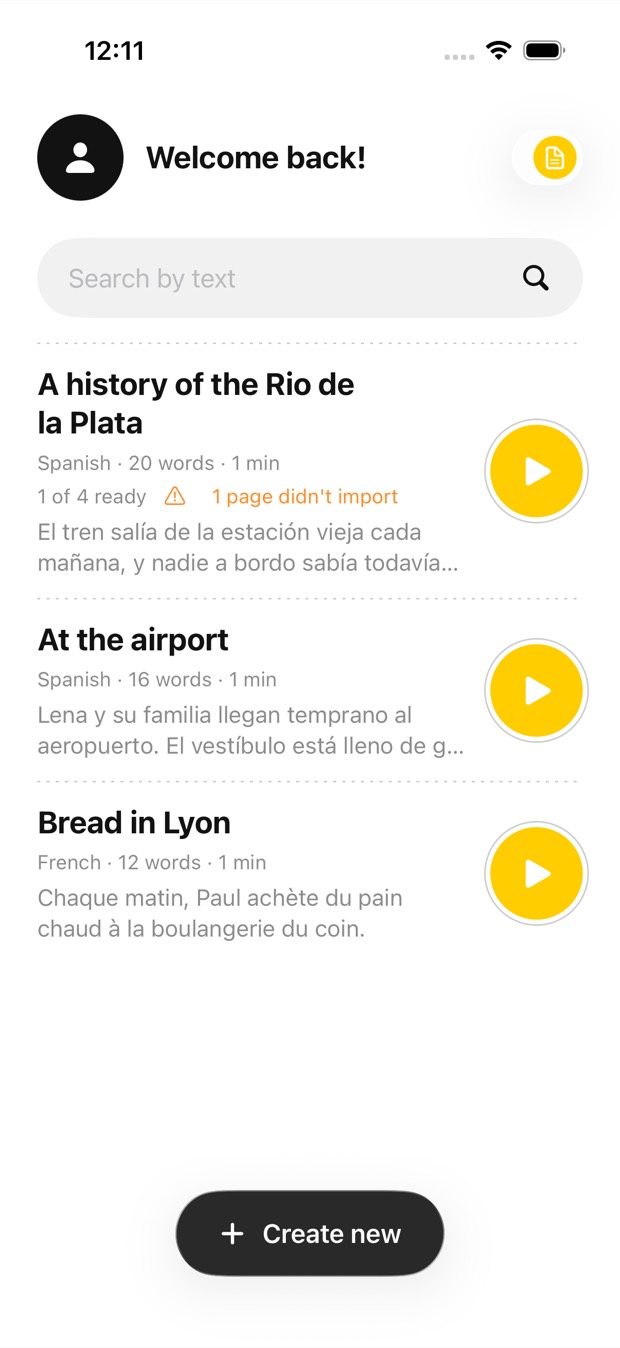
Open a PDF, choose which pages to listen to, and crop away the headers, footers and page numbers you don’t want read out. Outloud Reader reads the rest aloud in a natural voice, each phrase highlighted as it’s spoken.

Free to download · iOS & Android · No sign-up
Open the PDF in Outloud Reader, choose the pages to listen to, up to 50 in one book, and crop away the headers, footers and page numbers. The rest is read aloud in a natural voice, each phrase highlighted as it’s spoken. Choose another language and the PDF is translated before it’s read.
Open the file, keep the pages you need, and listen.
Start a new book in the app, choose PDF file and open the PDF.
Choose the range to listen to, pages 12 to 18 for example. Up to 50 pages go into one book.
Crop away headers, footers and page numbers, so only the text is read.
Choose the PDF’s own language, or another one to have it translated first. Tap Create, press play and follow the highlight.
Every book stays in your library with its audio, ready to play again whenever you need it.
The files on your phone, read to you.
Choose the chapter you want and listen on a walk, on the train or at the stove.
Open the slides or the reading for your course and choose just the pages you need.
Crop away the headers, footers and page numbers, so you hear the text and not the layout.
Listen to a long report on the way to work, and glance at the highlight when you want to see the words.
Outloud Reader for iOS and Android. Your first 5 pages are free.
Free to download · iOS & Android · No sign-up
Something else? Write to support@outloudreader.app and a person will answer.
Yes. Choose the range you want; the other pages are left out. Up to 50 pages go into one book.
Not if you crop them away. Crop the margins and only the text inside is read aloud.
Yes. Choose another language when you make the book and the text is translated in natural sentences before it’s read. Choose the PDF’s own language to hear it as it is.
No. The audio stays in your library in the app, ready to play again as often as you like, at no cost. It isn’t exported as a file.