Articles
Articles you saved
The long read you meant to get to: listen to it on a walk or on the train instead.
Copy an article, an email or your own notes, paste it into the app, and Outloud Reader reads it aloud in a natural voice while each phrase is highlighted. A long text becomes several pages of one book.


Free to download · iOS & Android · No sign-up
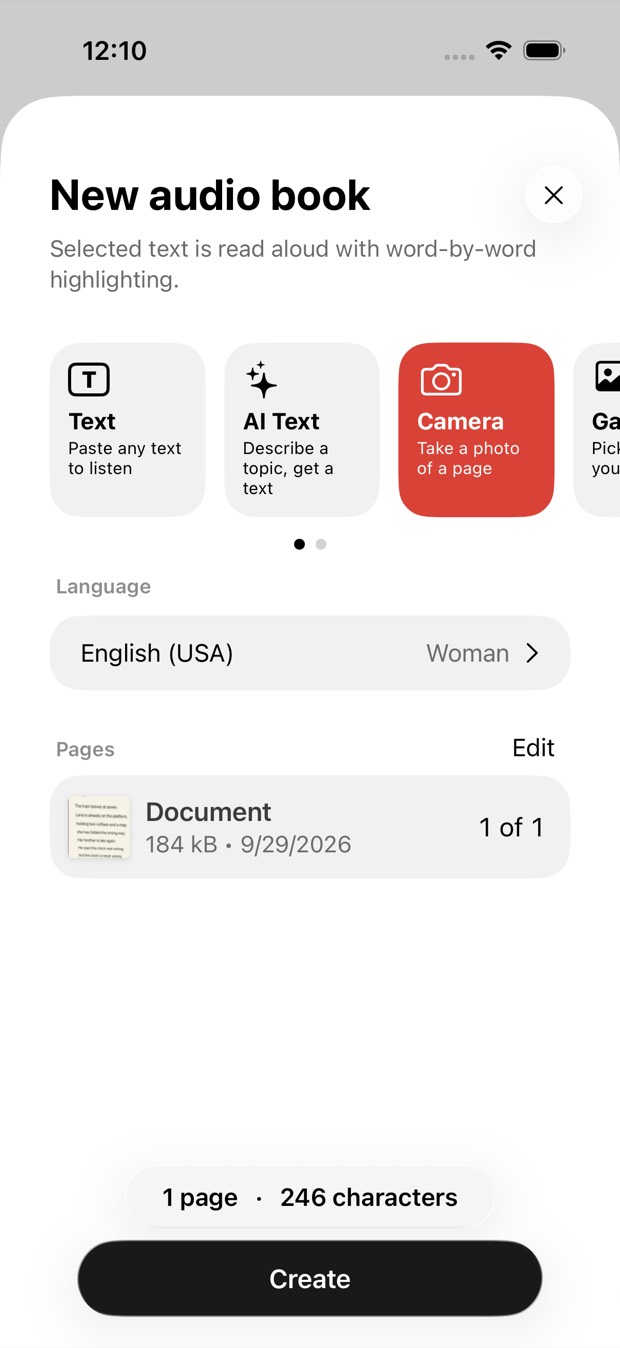
Copy the text from anywhere, start a new book in Outloud Reader, choose Text and paste it. Tap Create, and it’s read aloud in a natural voice while each phrase is highlighted; a long text is split into pages of up to 2,500 characters. Listen at any speed from 0.5× to 1.25×.
Copy it from anywhere, paste it in, and press play.
An article, an email, a letter or your own notes: copy it from anywhere.
Start a new book in the app, choose Text and paste it.
Choose the text’s own language to hear it as it is, or another one to have it translated first. Then choose the voice.
A long text is split into pages of up to 2,500 characters and read aloud like any other book, each phrase highlighted.
Once it’s a book, you choose how to listen.
If you can copy it, you can listen to it.
The long read you meant to get to: listen to it on a walk or on the train instead.
Paste a long email or a letter and hear it read aloud while each phrase lights up.
Paste the notes you typed, and they’re split into pages and read aloud, so you can revise by ear.
Paste a text in that language and read along as you listen. Slow it down, or repeat a sentence before you move on.
Outloud Reader for iOS and Android. Your first 5 pages are free.
Free to download · iOS & Android · No sign-up
Something else? Write to support@outloudreader.app and a person will answer.
No, it’s an app. Paste the text in the app; the text is voiced online, and the audio is then kept on your device, in your library, to play again as often as you like.
A long text is split into pages of up to 2,500 characters each, and up to 50 pages go into one book. Each page is one page of your balance.
English (US and UK), Spanish, French, Italian, Portuguese, German, Dutch, Polish, Ukrainian, Russian, Turkish, Japanese, Korean and Chinese — with a woman’s or a man’s voice in all of them except French, which has a woman’s voice.
No. The audio stays in your library in the app, ready to play again as often as you like, at no cost. It isn’t exported as a file.