Lecture notes
Students
Too lazy to read the lecture? Photograph it and listen on the bus, at the gym, or with the lights off.
More for studentsLearning a language? Photograph a page, open a PDF or paste text, and Outloud Reader reads it aloud in a natural voice, lighting up each phrase as it’s spoken. It can translate the text into that language first.

Free to download · iOS & Android · No sign-up
Photosynthesis, 14 Oct
Light reactions happen in the thylakoid membranes. Water is split, oxygen is released.
ATP and NADPH carry the energy on to the Calvin cycle, in the stroma.
CO₂ + H₂O + light → glucose + O₂
Exam: know both stages and where each one happens!
Berlin, im März
vielen Dank für deinen langen Brief! Ich habe mich sehr darüber gefreut.
Hier ist der Frühling endlich da. Am Sonntag waren wir am See und haben zum ersten Mal draußen gegessen.
Kommst du im Sommer zu uns? Wir haben jetzt ein Gästezimmer.
Herzliche Grüße,
deine Marie
Britain, about 1760–1840
Question for Thursday: who gained most, and who paid for it?
Outloud Reader is a mobile app that reads text aloud in a natural voice. Photograph a page of a book, your notes or a handout, open a PDF, paste text, or ask AI for a text at your level, and the app turns it into audio, highlighting each phrase as it’s spoken. Choose the page’s own language to hear it as printed, or the language you’re learning to have it translated first.
It reads in 14 languages. Every book stays in your library with its audio, and playing it again is free. Outloud Reader works on iOS and Android, with no sign-up.
It’s free to download. Your first pages are free. More pages come in packs that never expire, or with a Premium subscription. There are no ads.
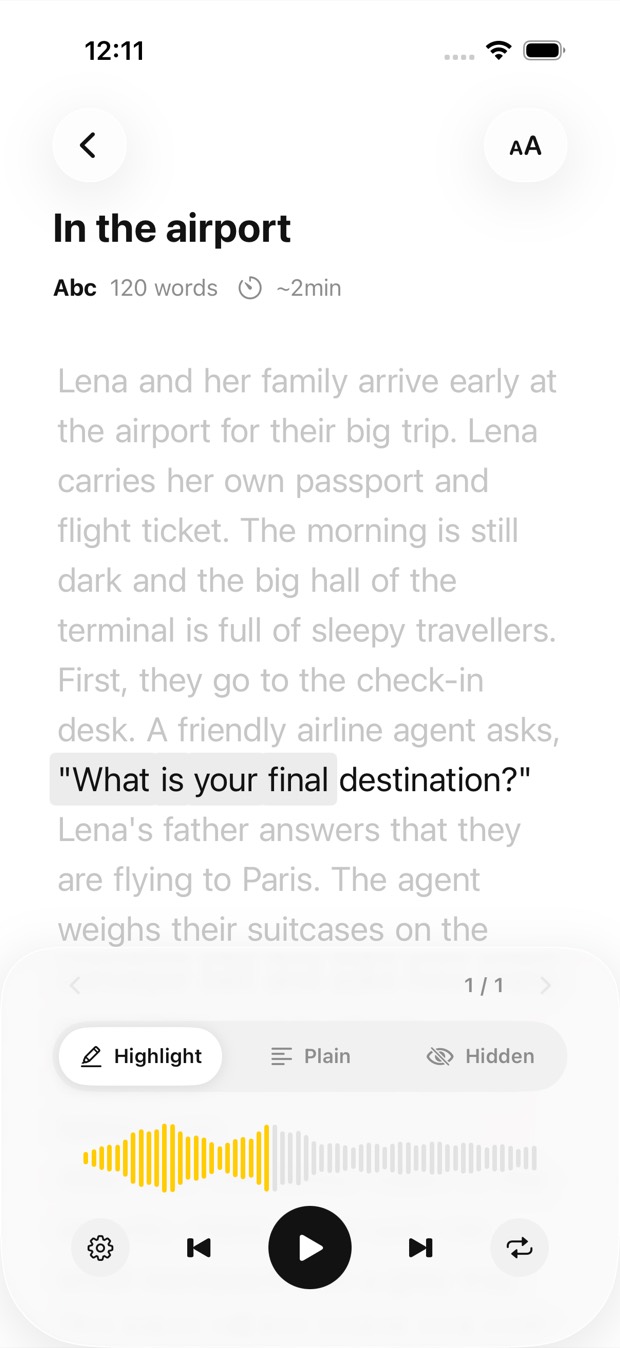
Press play and the voice starts reading. The phrase being spoken is highlighted, its sentence is set in black, and the rest of the page waits in grey, so you never lose your place.
Anna reached the platform at two minutes to midnight. The last train was already waiting, its doors open. She found a seat by the window, took out her notes and pressed play. Somewhere after the second stop, the lecture stopped feeling long.
There’s no catalogue to browse. Outloud Reader reads what you bring it: the page in front of you, a PDF, a text you copied, or a text written for you.
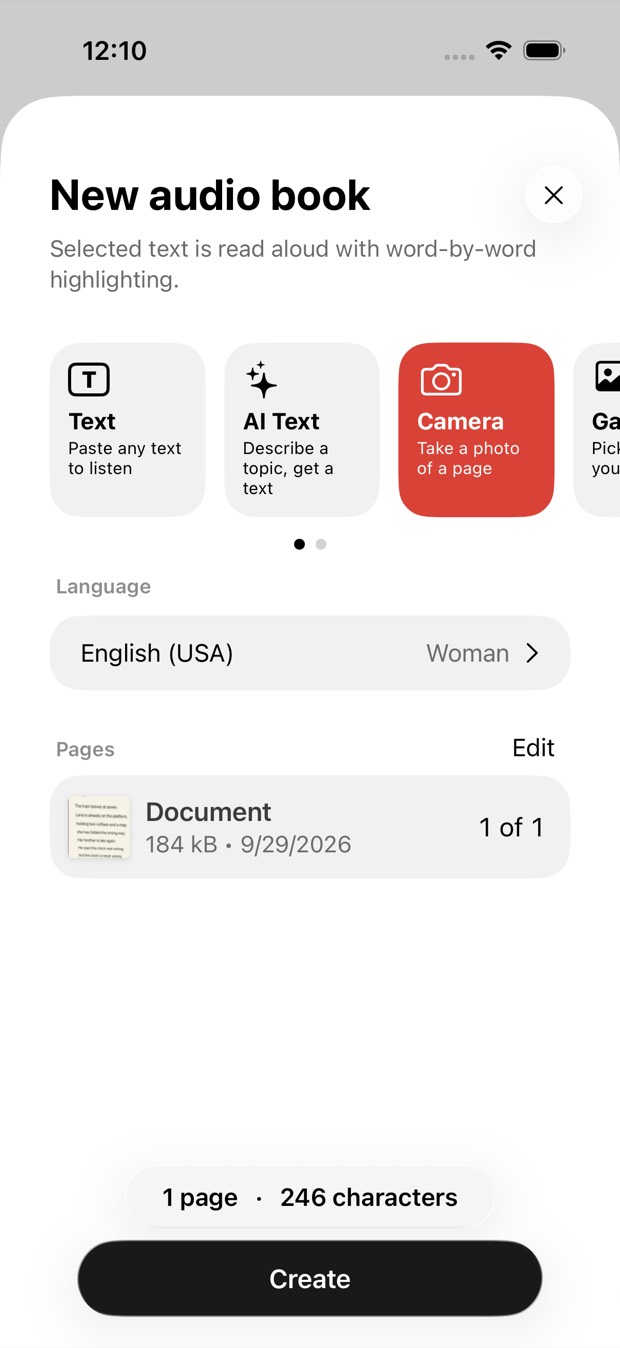
Photograph pages one after another, pick photos from your gallery, choose pages from a PDF, paste text, or ask for a new one.
The text is recognised from your photos and voiced by a natural voice. Pick a language other than the page’s and it’s translated first; anything already in that language is kept as it is.
Press play. The phrase being spoken is highlighted and the sentence around it is set in black, so your eyes and ears stay on the same words.
Four kinds of people use it most. You’re probably one of them.
Too lazy to read the lecture? Photograph it and listen on the bus, at the gym, or with the lights off.
More for studentsTranslate any page into the language you’re learning, or ask for a short story at your level, A1 to C2, then read along with the audio to practise your listening.
More for language learnersTired eyes, a long commute, dyslexia: let the text come to you by ear, and use large type and high contrast when you do look.
More on audiobooksHear the page while each phrase lights up, and follow at your own pace. Many people find a text easier to follow that way.
More on reading supportPhotograph your notes or the handout after class. By the time you’re on the bus, it’s an audio book you can play from your pocket.
Whatever the text is on, there’s a way in. Up to 50 pages go into one book.
Photograph page after page. The app finds the page in each photo and crops it; you can adjust the frame or use the photo as it is.
How to read a photo aloudTook pictures of the board or a handout during class? Pick them from your photos and they become pages of one book.
Photos from your galleryHave a PDF read aloud: open it, choose which pages to listen to, and crop away headers, footers and page numbers you don’t want read out.
How to read a PDF aloudPaste an article, an email or your own notes. It’s split into pages and read aloud like any other book.
How to paste text and listen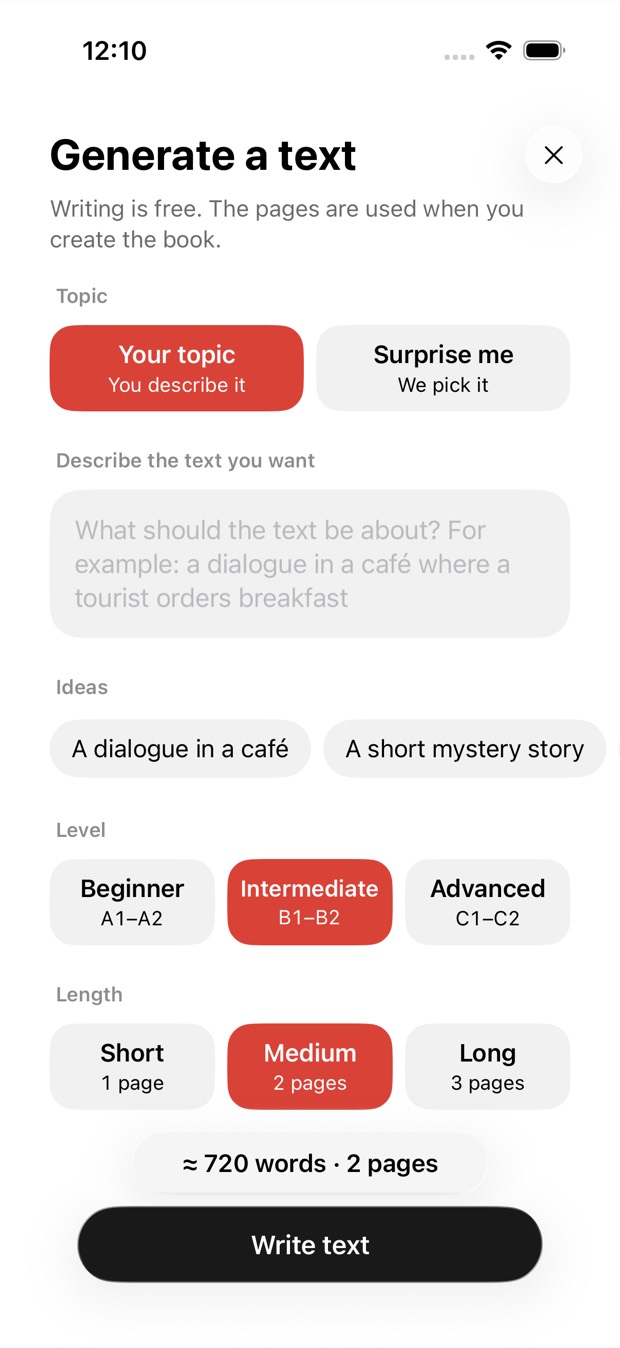
Nothing to read? Describe what you want, or tap Surprise me, and a new text is written at your level, like a graded reader made for you. More on that below.
How AI texts workThe phrase being spoken sits on a highlight, its sentence is set in black, and the rest of the page waits in grey.
Follow the highlight, follow with your own eyes, or hide the text, listen, and hold to check a line.
Pick a language other than the page’s and it’s translated in natural sentences before it’s read. Pick the page’s own and it’s read as printed.
A woman’s or a man’s voice in every language except French, which has a woman’s. Switch in a book; both voices stay with it.
Any speed from 0.5× to 1.25×, and each sentence repeated up to five times.
Light, sepia or dark, with contrast, text size and line spacing to suit you.
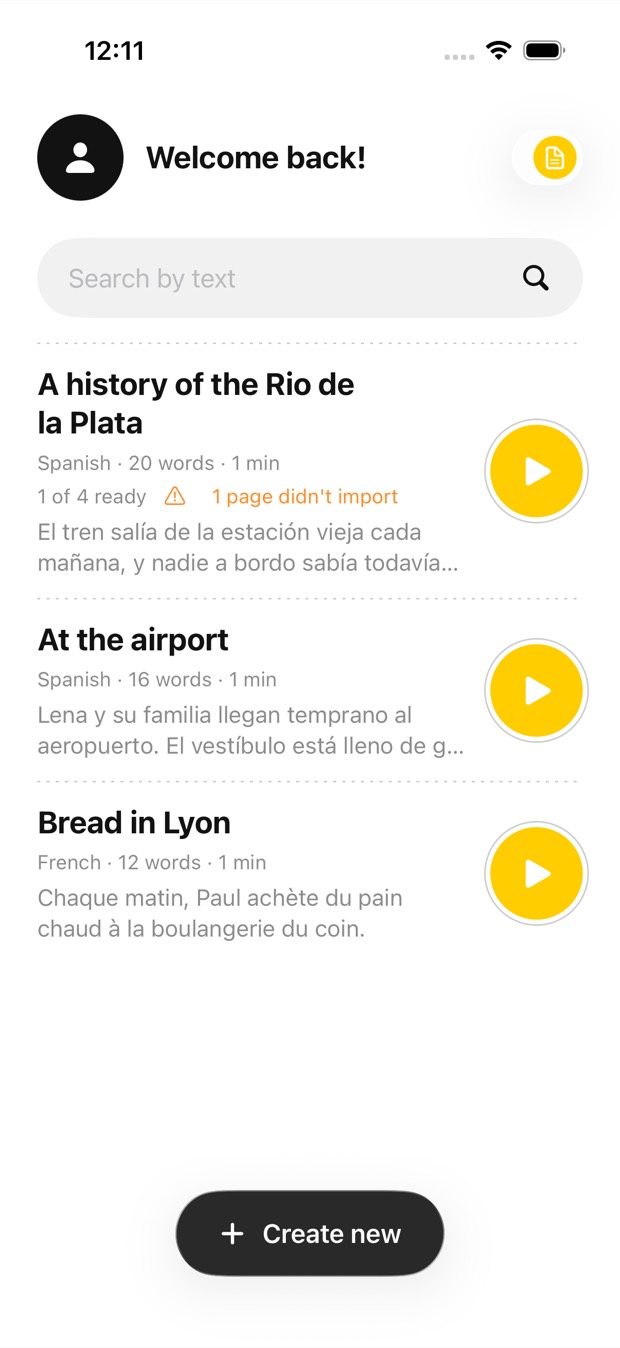
On iPhone and iPad, books and their audio are kept in your iCloud; on Android, the library stays on your phone, backed up by Google. Search the library by any word inside, and switch the app’s language without touching your phone’s settings.
Describe a topic — a dialogue in a café, a short mystery story — or tap Surprise me and the app chooses the topic and the kind of text: a story, a dialogue, a letter, a diary or an article.
You read the text before you decide. Pages are used only when you make it into a book.
Texts are written for a 13+ audience, and some subjects are off limits. See the content rules.
Every book stays in your library with its audio, ready to play again whenever you need it.
See pricingPremium brings new pages every month or week, in all 14 languages. Rather pay as you go? Buy a pack — its pages never expire. Either way, there are no ads.
Your first 5 pages are free — once per account, to try it on your own lecture, letter or chapter.
A subscription, monthly or weekly, with new pages every period.
$12.99/ month
For listening every day.
$3.99/ week
For a busy week: an exam, a trip, a project.
Bought once, with no renewal. Their pages never expire.
$2.99one-time
Pay once and use the pages whenever you like.
$5.49one-time
Pay once and use the pages whenever you like.
$9.99one-time
Pay once and use the pages whenever you like.
$26.99one-time
Pay once and use the pages whenever you like.
Prices are shown in the app.
Prices for your country. The final price is set by the country of your Apple Account or Google Account; Google Play may show slightly different local prices.
Outloud Reader for iOS and Android. Your first 5 pages are free.
Free to download · iOS & Android · No sign-up
Something else? Write to support@outloudreader.app and a person will answer.
No. There’s no store and no catalogue. Outloud Reader turns the text you bring into audio: photos of pages, PDFs, text you paste, or a text written for you by AI.
Yes. Choose the language the page is written in and it’s read as it is. Choose another one and it’s translated first.
English (US and UK), Spanish, French, Italian, Portuguese, German, Dutch, Polish, Ukrainian, Russian, Turkish, Japanese, Korean and Chinese — with a woman’s or a man’s voice in all of them except French, which has a woman’s voice.
Yes. Photograph or paste a page in the language you’re learning and listen while each phrase is highlighted. Slow it down to 0.5×, repeat a sentence up to five times, or hide the text and listen first.
Yes. Open a PDF, choose the pages you want, and crop away headers, footers and page numbers. Up to 50 pages go into one book.
Yes. Describe a topic or tap Surprise me, choose A1–A2, B1–B2 or C1–C2 and a length of one to three pages. Writing is free; pages are used only when you make the text into a book.
It turns text from photos, PDFs and pasted text into natural speech in 14 languages, but it’s made for listening and following along: each phrase is highlighted, and the text can be translated first. The audio stays in your library in the app; it isn’t exported as an MP3 file.
To recognise, translate and read your pages, the app sends the photos and text you add to our server, where AI and speech services process them. Photos are deleted after processing, and your data is never sold or used for ads. The details are in the privacy policy.
To create a book, yes: the text is recognised, translated and voiced online. The audio is then kept on your device.
Yes, on iPad and on Android tablets. On iPhone and iPad, turn on iCloud sync and your books and their audio appear on every iPhone and iPad signed in to the same iCloud account. On Android, they stay on the device they were made on.
AI texts are written for a 13+ audience. Sexual content, graphic violence, hate and dangerous instructions are refused, among other things; the full list is in the content rules.