Spanish, A2
Short stories for beginners
Ask for a short story in Spanish, French or German at A1–A2, and read along while it’s read aloud.
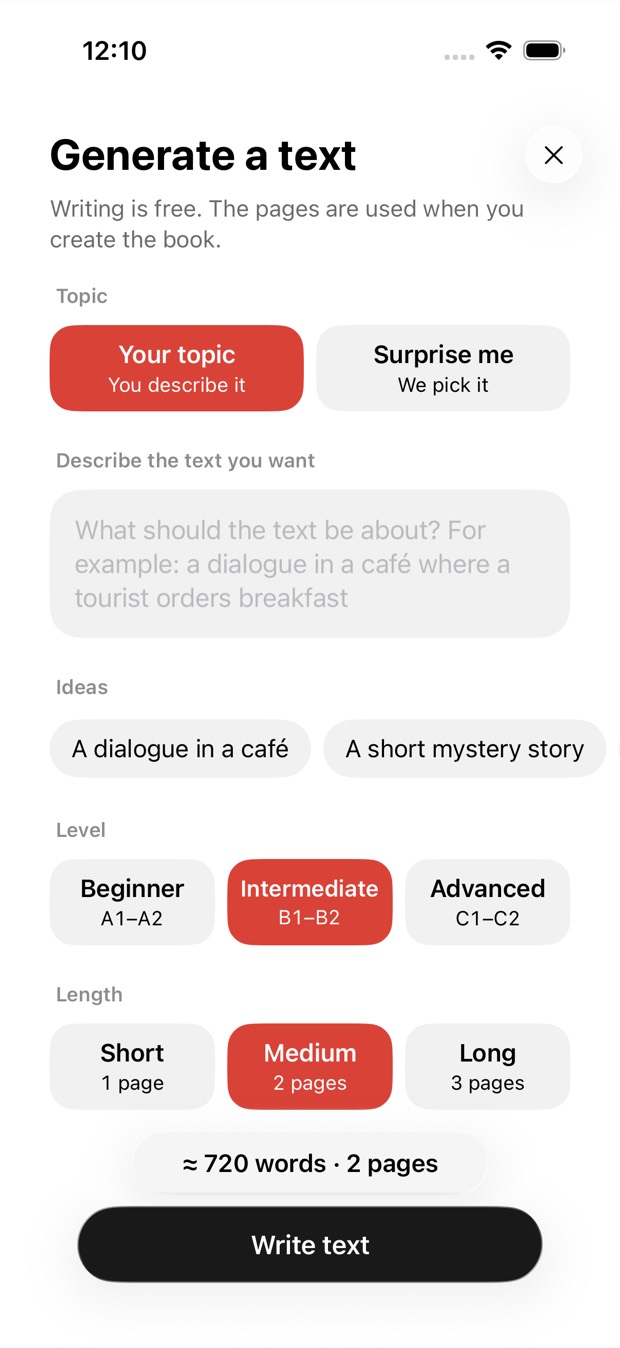
Describe a topic or tap Surprise me, choose a level from A1 to C2 and a length, and a new text is written for you in the language you’re learning, like a graded reader made for you. Then it’s read aloud while each phrase is highlighted.


Free to download · iOS & Android · No sign-up
In Outloud Reader, start a new book, choose AI Text, describe a topic or tap Surprise me, then choose a level, A1–A2, B1–B2 or C1–C2, and a length of one to three pages. A new text is written in the language you’re learning, and writing is free; pages are used only when you make it into a book. Then it’s read aloud while each phrase is highlighted.
Ask, read it, and make it a book if you like it.
Start a new book in the app and choose AI Text.
A dialogue in a café, a short mystery story… or let the app choose the topic and the kind of text: a story, a dialogue, a letter, a diary or an article.
A1–A2, B1–B2 or C1–C2, and one to three pages. Then tap Write text.
You read the text before you decide. Tap Create to hear it read aloud, or choose Edit as text to change it first.
Short stories for beginners, dialogues for everyday situations, articles for advanced learners: you choose the level, and the text is written at it.
You read the text before you decide. Pages are used only when you make it into a book.
Up to 20 texts a day, Surprise me texts included.
Texts are written for a 13+ audience, and some subjects are off limits. See the content rules.
For learners who need texts at their level, and for anyone with nothing to read.
Ask for a short story in Spanish, French or German at A1–A2, and read along while it’s read aloud.
Choose the level, A1 to C2, and get a story, a dialogue, a letter, a diary or an article written at it.
Describe a situation, a café or a visit to the doctor, and practise the words you’ll actually need.
Tap Surprise me and the app chooses the topic and the kind of text for you.
Outloud Reader for iOS and Android. Your first 5 pages are free.
Free to download · iOS & Android · No sign-up
Something else? Write to support@outloudreader.app and a person will answer.
Yes. Make the book in Spanish, describe the story you want or tap Surprise me, and choose A1–A2. The text is written in the language you’re learning, at the level you choose.
Writing it is free. Pages are used when you make a book of it, as with any text. To write one, you need enough pages on your balance for a book of the length you chose.
Up to 20 a day. Every text you receive counts, including Surprise me texts and texts you don’t make a book of; a request refused before writing doesn’t. After 6 refused requests in a day, writing is paused until the day ends. A day ends at midnight UTC; the app shows that moment in your own time zone.
AI texts are written for a 13+ audience. Sexual content, graphic violence, hate and dangerous instructions are refused, among other things; the full list is in the content rules.