A whole book to audio. Photograph it, then just listen.
Photograph the pages of a paper book one after another, pick them from your gallery or open a PDF. Outloud Reader makes them one book in your library, read aloud in a natural voice with each phrase highlighted, and it plays again for free.

Free to download · iOS & Android · No sign-up
Quick answer
To turn a paper book into an audiobook, start a new book in Outloud Reader and photograph its pages one after another, or pick them from your gallery or from a PDF. Up to 50 pages go into one book, and you can add more pages to it later. It’s read aloud in a natural voice, each phrase highlighted, and it stays in your library to play again for free.
How to turn a book
into an audiobook.
From the book on your shelf to the voice in your ears, in four steps.
-
Start a new book
In the app, start a new book. Choose Camera to photograph the pages, Gallery to pick photos you already took, or open a PDF if the book is already a file.
-
Photograph page after page
The app finds the page in each photo and crops it; adjust the frame or use the photo as it is. Each photo becomes one page, and up to 50 pages go into one book.
-
Choose the language to hear
Choose the page’s own language to hear it as printed, or another one to have it translated first. Then choose the voice.
-
Listen, and add pages later
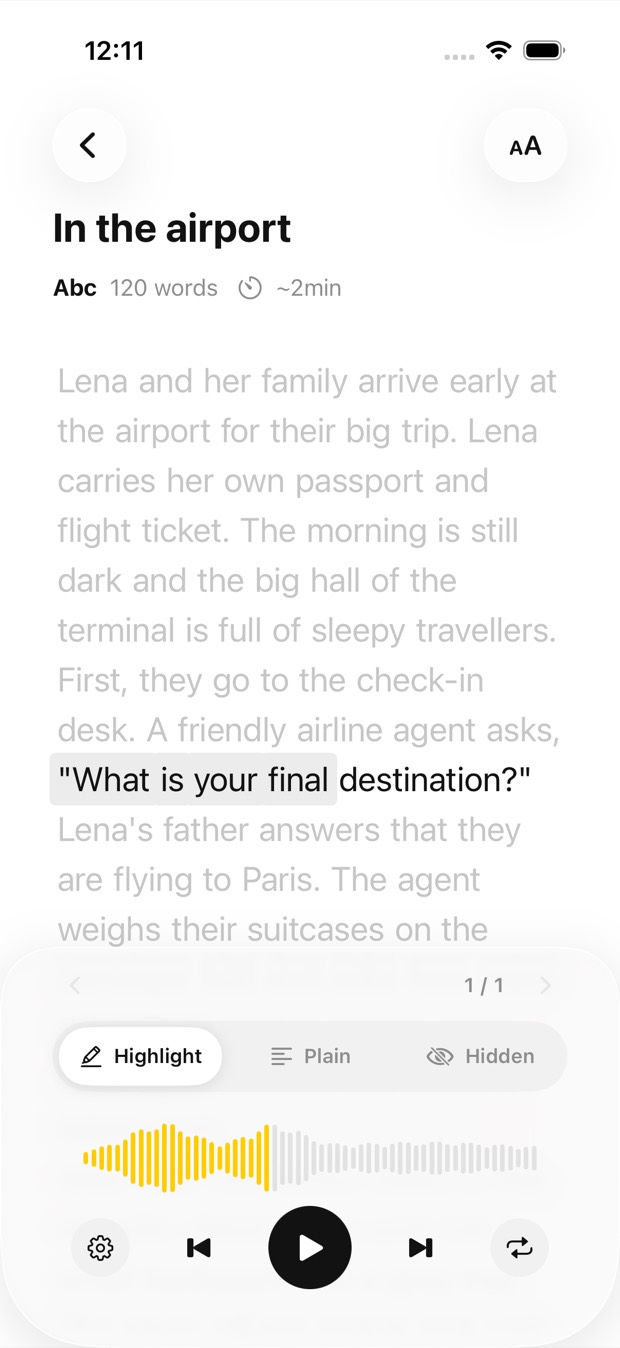
Tap Create and press play: the book is read aloud while each phrase is highlighted, and it keeps playing with the screen off, with controls on the lock screen. More of the book to add? Add pages to the same book later.
What to know first. The honest limits.
A few things to know before you start on a whole book:
- You photograph the pages yourself. The app has no books of its own: it reads the ones you bring.
- One book holds up to 50 pages. A longer book becomes several, a chapter or a part each, and you can add pages to a book later, up to its 50.
- A page is one photo or one page of a PDF, up to 5,000 characters. Photograph one page at a time; a two-page spread of small print may not fit.
- Making a book needs an internet connection. Once it’s made, it plays offline.
- The audio stays in your library in the app, and on iPhone and iPad it’s kept in your iCloud. It isn’t exported as an MP3 file.
- Your first 2 pages are free.
- Pages come in packs that never expire, or with Premium. Playing a book again uses no pages.
Your next page, read aloud.
Outloud Reader for iOS and Android. Your first 2 pages are free.
Free to download · iOS & Android · No sign-up
Questions about long books.
Something else? Write to support@outloudreader.app and a person will answer.
How long can a book be?
Up to 50 pages go into one book. A longer book becomes several: make each chapter or part its own book.
Can I add pages to a book later?
Yes. Open the book and add pages to it, up to its 50. You don’t have to photograph the whole book in one sitting.
Can I download the audio as an MP3?
No. The audio stays in your library in the app, ready to play again as often as you like, at no cost. It isn’t exported as a file.
Do I need an internet connection?
To create a book, yes: the text is recognised, translated and voiced online. The audio is then kept on your device.