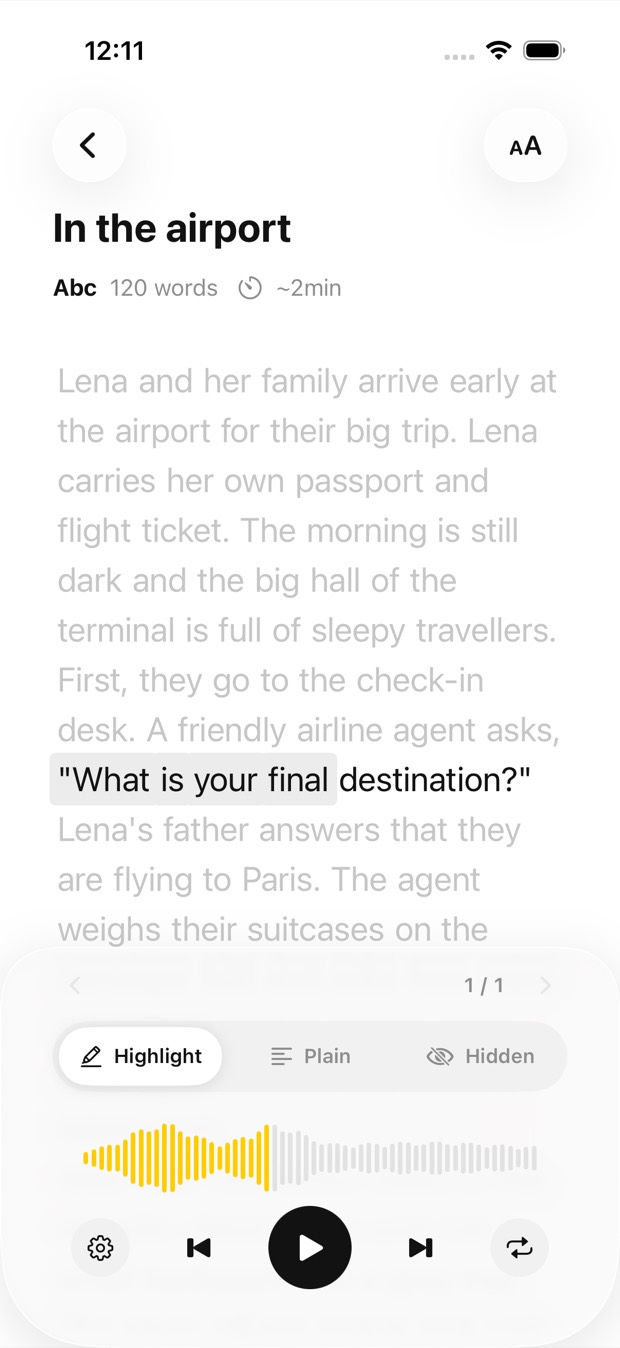
At your speed
Any speed from 0.5× to 1.25×, each sentence repeated up to five times, and the text hidden if you’d rather just listen.
A letter, a form, a worksheet, a page in small print: photograph it or pick the image, and Outloud Reader reads the text aloud while each phrase lights up on the page, so your eyes and your ears stay in the same place.


Free to download · iOS & Android · No sign-up
Outloud Reader reads the text in an image aloud: photograph the page or pick an image from your gallery, and the text is recognised and read in a natural voice. The phrase being spoken is highlighted, so you can follow along, slow the voice down to 0.5× or repeat a sentence up to five times.
The same three steps for a letter, a form or a page of a book.
Start a new book. Choose Camera to photograph the page in front of you, or Gallery to pick an image you already have.
Choose the language the text is written in, and the voice. Rather hear it in your own language? Choose that one, and it’s translated first.
Tap Create and press play. The phrase being spoken lights up as you listen; slow it down, speed it up, or have each sentence repeated.
A sharp image of printed text reads best, for example:
Handwriting reads when it’s clear; very messy writing may not be recognised. Text that is blurred, very small or shot at a steep angle may be missed too.
Get the appAny speed from 0.5× to 1.25×, each sentence repeated up to five times, and the text hidden if you’d rather just listen.
The image is read and voiced online, so creating a book needs the internet. After that the audio is on your phone and plays without a connection.
Each image is one page, up to 5,000 characters. Pages come in packs that never expire, or with Premium, at your country’s price, shown in the app; listening again is free.
Your first 2 pages are free.
Outloud Reader for iOS and Android. Your first 2 pages are free.
Free to download · iOS & Android · No sign-up
Something else? Write to support@outloudreader.app and a person will answer.
Yes. The phrase being spoken is highlighted on the page, so you always know where you are. You can also hide the text and just listen.
Yes. Choose any speed from 0.5× to 1.25×, and have each sentence repeated up to five times before it moves on.
Yes. Photograph the page or pick a photo, and the handwriting is recognised and read aloud with each phrase highlighted. Clear writing works best; very messy writing may not be recognised.
To recognise, translate and read your pages, the app sends the photos and text you add to our server, where AI and speech services process them. Photos are deleted after processing, and your data is never sold or used for ads. The details are in the privacy policy.